
There are two ways to install Webex, depending on the permissions you have on your computer. This page describes how to install it via Workspace One.
In other cases, you can download the app directly from official website.
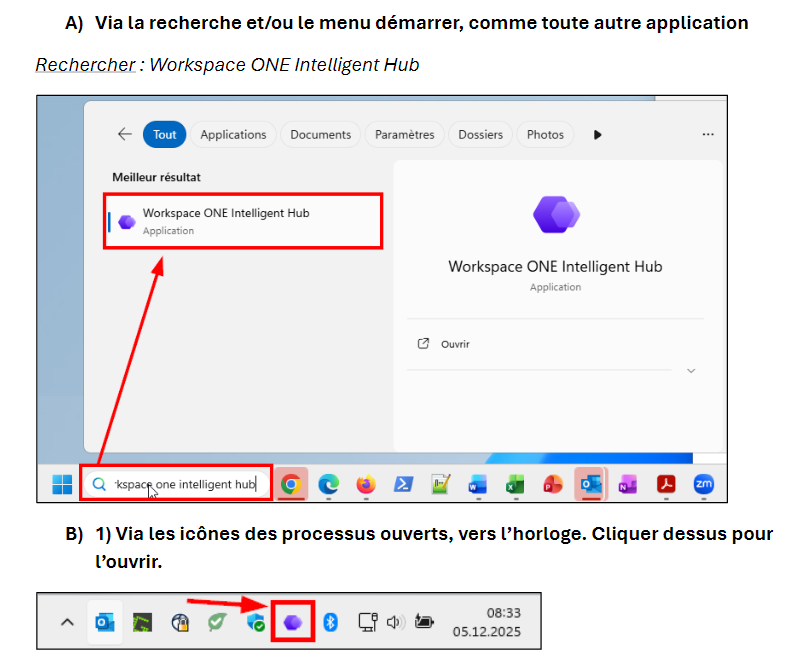
On a PC, there are two ways to access Workspace One
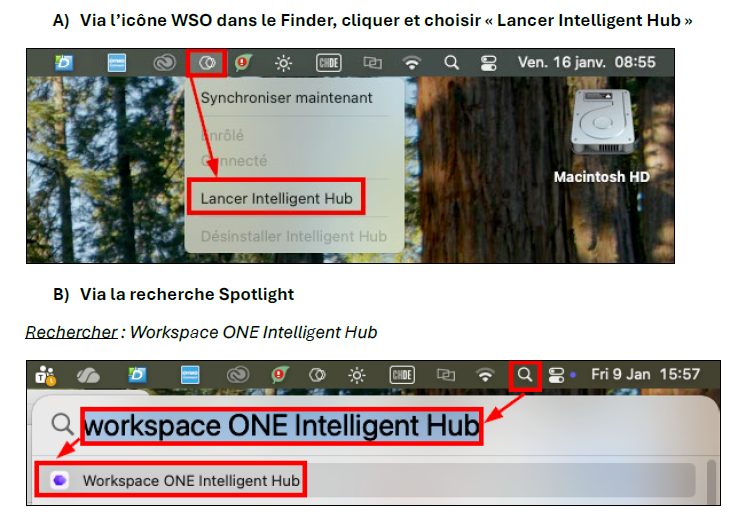
On a Mac, click the Workspace One app in Finder or search with Spotlight
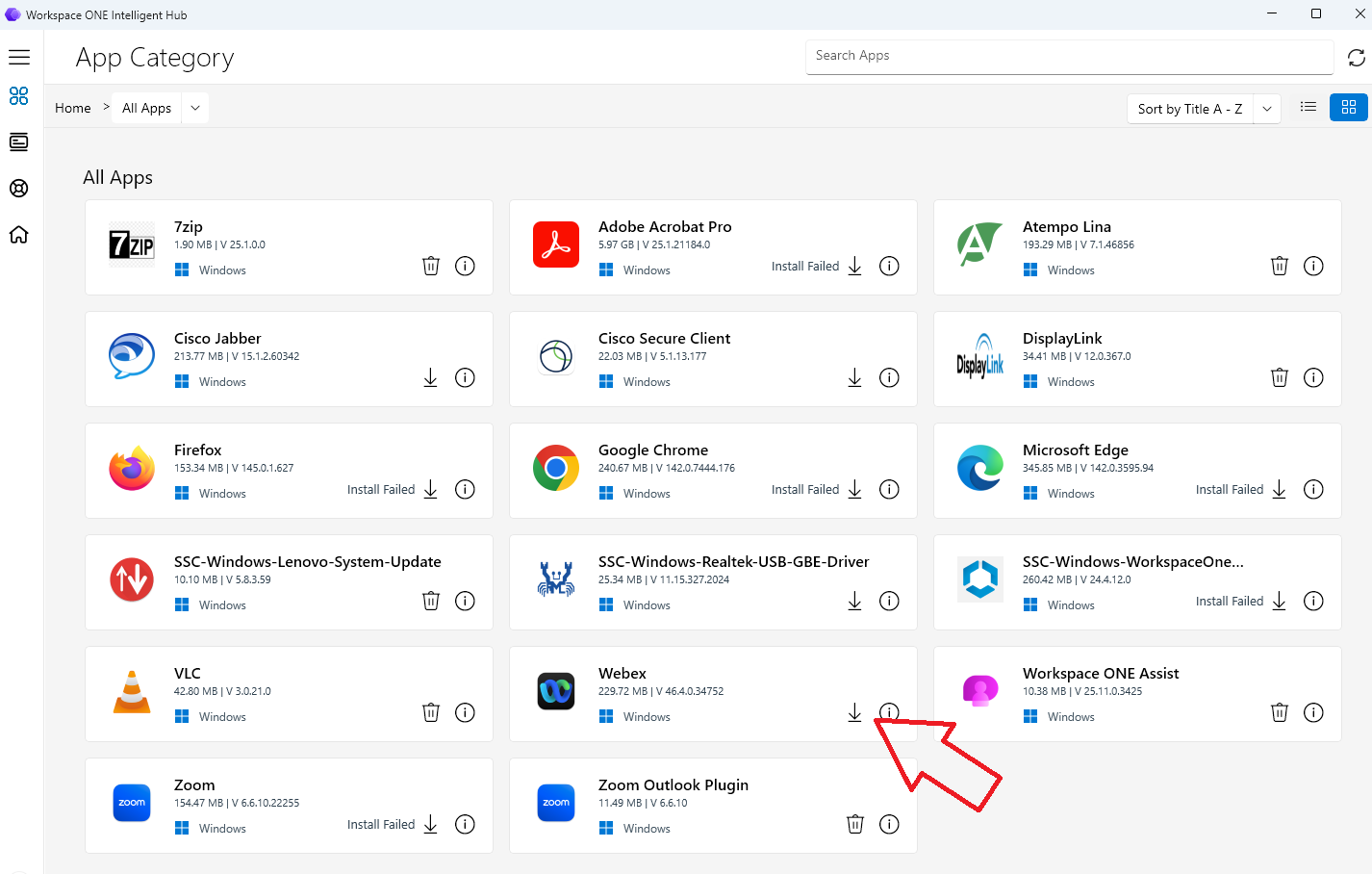
Once the interface is open, the application will appear for installation
If required, the following links explain the general installation procedure to follow (French only) :
Workspace One pour PC — Workspace One pour Mac